


Introduction
Mobile apps are everywhere, from ordering food and tracking fitness to online banking and learning new skills. Have you ever wondered what it takes to build one of those apps yourself? The idea of becoming a mobile app developer might feel overwhelming at first, but with the right guidance, tools, and mindset, it’s a journey anyone can begin, even without a computer science degree.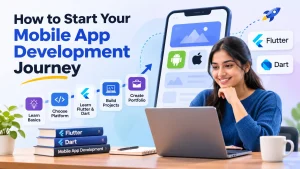
This guide walks you through the essential steps to start your mobile app development journey, whether you’re a complete beginner or someone looking to upskill in tech.
Start Your Mobile App Development Journey
Behind every successful mobile application is a developer who turns an idea into a functional, user-friendly digital experience. Have you ever wondered how these applications are developed or how you can become a mobile app developer yourself?
Starting a mobile app development journey is easier than you might think, even if you have no prior programming experience or computer science degree. With the right learning approach, programming fundamentals and practical training, beginners can gradually develop the skills needed to build professional mobile applications.
Today, aspiring developers can choose between native app development using Kotlin for Android and Swift for iOS, or cross-platform development using frameworks such as Flutter. Among these technologies, Flutter has become a popular choice because it enables developers to create applications for Android and iOS using a single codebase, with Dart as its programming language.
However, becoming a successful mobile app developer involves more than learning a programming language. It requires understanding UI/UX design, application architecture, APIs, database integration, debugging, testing and real-world project development.
Explore how to start learning mobile app development step by step, which programming languages and tools to choose, how to build your first mobile application, and how to develop a portfolio that can help you pursue opportunities in the software development industry.
Whether you are a student, a recent graduate, a working professional or someone planning to switch careers into IT, this guide will help you understand the learning path and take your first step towards becoming a mobile app developer.
How Do You Start Mobile App Development as a Beginner ?
To start mobile app development, first learn programming fundamentals such as variables, functions, loops and object-oriented programming. Next, choose a development approach: native Android development with Kotlin, iOS development with Swift, or cross-platform development with Flutter and Dart. Install the necessary development tools, practise by creating simple applications, learn UI/UX design and API integration, and gradually build real-world projects. Finally, publish your projects on GitHub and create a portfolio to demonstrate your development skills.
You can start your mobile app development journey by learning programming fundamentals, choosing a suitable development platform and gaining practical experience by building simple applications. Beginners can explore native Android development using Kotlin or cross-platform app development using Flutter and Dart.
8 Essential Steps to Become a Mobile App Developer
Learn Programming Fundamentals
Understand variables, functions, loops, object-oriented programming and data structures.
Choose a Development Platform
Explore native Android, iOS or cross-platform development using Flutter.
Learn Dart and Flutter
Understand Dart programming, Flutter widgets and application development concepts.
Set Up Development Tools
Install Flutter SDK, Android Studio or Visual Studio Code and configure your testing environment.
Understand UI/UX Design
Learn layouts, navigation, responsive interfaces and user-friendly design principles.
Build Practical Projects
Create calculators, to-do lists, weather applications and expense trackers.
Learn Backend Integration
Explore APIs, databases, authentication and data management.
Create a Developer Portfolio
Showcase your projects, source code and application demonstrations to potential employers.
What Skills Do You Need to Become a Mobile App Developer?
Becoming a successful mobile app developer requires a combination of programming knowledge, technical expertise, problem-solving abilities and practical development experience. Whether you want to develop Android applications, iOS applications or cross-platform mobile apps, learning the right skills will help you build functional, user-friendly and scalable applications.
For beginners, the best approach is to start with programming fundamentals, understand mobile application architecture, learn a development framework such as Flutter or React Native, and gradually gain experience by building real-world projects.
Programming Fundamentals
Programming is the foundation of mobile application development. Understand the core concepts before starting application development.
- Variables and data types
- Conditional statements and loops
- Functions and collections
- Object-Oriented Programming
- Error handling and debugging
Mobile App Development Frameworks
Learn a framework or platform that helps you build mobile applications efficiently.
- Flutter for cross-platform development
- React Native for cross-platform apps
- Kotlin for native Android development
- Swift for native iOS development
UI/UX Design Fundamentals
Develop applications that are visually attractive, accessible and easy to navigate.
- User-friendly navigation
- Responsive screen layouts
- Typography and colour combinations
- Interactive components
- Accessibility and usability
Database Management
Understand how mobile applications store, retrieve and manage information.
- SQL database fundamentals
- Firebase Firestore
- SQLite
- Data storage and retrieval
- Database security fundamentals
API Integration and Backend Knowledge
Learn how applications communicate with servers and external services.
- REST API fundamentals
- HTTP methods and JSON
- API requests and responses
- Authentication and authorization
- Backend integration
Problem-Solving and Debugging
Develop the ability to identify errors, analyse application behaviour and find effective solutions.
- Reading error messages
- Identifying coding errors
- Debugging application behaviour
- Performance optimisation
- Handling unexpected inputs
Git and GitHub
Learn version control to manage code changes and collaborate with development teams.
- Creating Git repositories
- Committing code changes
- Branch management
- Uploading projects to GitHub
- Collaborative development
Testing and Application Deployment
Understand how to test applications and prepare them for release.
- Functional and UI testing
- Application debugging
- Performance testing
- Android app packaging
- App Store and Play Store publishing
Communication and Teamwork
Collaborate effectively with designers, testers, project managers and other developers.
- Understanding project requirements
- Technical communication
- Team collaboration
- Time management
- Continuous learning
Essential Mobile App Development Skills at a Glance
Here is a quick overview of the essential skills and why they matter in a mobile app developer's career.
| Skill | Why It Matters |
|---|---|
| Programming | Builds the foundation for writing application logic. |
| Flutter / React Native / Native Development | Helps create Android and iOS applications. |
| UI/UX Fundamentals | Improves usability and user experience. |
| Database Management | Stores and manages application data. |
| API Integration | Connects applications with backend services. |
| Debugging | Helps identify and fix application errors. |
| Git and GitHub | Supports version control and collaboration. |
| Testing and Deployment | Prepares applications for real-world usage. |
Which Skills Should Beginners Learn First?
If you are completely new to programming, follow this recommended learning sequence.
Learn Programming Fundamentals
Start with basic programming concepts, logic and OOP.
Choose a Development Technology
Learn Flutter, React Native or native Android/iOS development.
Understand UI Design and Layouts
Practise building attractive and responsive application screens.
Learn Databases and API Integration
Connect applications with data sources and backend services.
Build Real-World Applications
Create practical projects and upload your work to GitHub.
Test and Deploy Your Applications
Learn application testing, publishing and portfolio development.
Pro Tip for Aspiring Mobile App Developers
Do not try to learn every programming language and framework at once. Choose one development path, build practical projects and gradually expand your technical knowledge. A portfolio of working applications can demonstrate your skills to potential employers.
Can I Become a Mobile App Developer Without a Computer Science Degree?
Yes. A computer science degree is not always mandatory to become a mobile app developer. Students from non-IT backgrounds can also enter this field by learning programming fundamentals, mastering a mobile development framework, practising application development and building a strong project portfolio. Practical skills, problem-solving abilities and demonstrable project experience are important when applying for developer roles.
Ready to Start Your Mobile App Development Career?
Build your programming foundation, learn Flutter and develop practical mobile applications with structured training.
Explore Flutter App Development TrainingMobile App Development Roadmap for Beginners (0–6 Months)
Starting a career in mobile app development can seem challenging when you are unfamiliar with programming. However, following a structured learning roadmap can help you gradually develop the technical knowledge and practical skills needed to build mobile applications.
This six-month roadmap introduces programming fundamentals, Flutter development, UI design, database management, API integration, real-world projects and application deployment. It is designed as a practical learning guide for beginners, including students from non-IT backgrounds.
Develop a strong programming foundation, build functional mobile applications and create a portfolio of projects that demonstrates your development skills.
Learn Programming Fundamentals and Dart
The first month focuses on understanding programming concepts and developing logical thinking. Start with Dart, the programming language used by Flutter.
What to Learn
- Variables and data types
- Operators and expressions
- Conditional statements
- Loops and functions
- Lists and collections
- Object-Oriented Programming basics
Tools to Explore
- DartPad
- Visual Studio Code
- Dart SDK
- Basic command-line operations
Create a basic calculator using Dart that performs addition, subtraction, multiplication and division.
Understand Flutter Fundamentals
Once you understand Dart basics, start learning Flutter. Explore how widgets, layouts and navigation work together to create mobile application interfaces.
What to Learn
- Flutter architecture basics
- Stateless and Stateful widgets
- Rows, Columns and Containers
- Text, Images and Buttons
- Navigation between screens
- Layouts and responsive UI
Tools to Explore
- Flutter SDK
- Android Studio
- Visual Studio Code
- Android Emulator
Create a simple mobile application with a profile picture, personal information, contact details and navigation between screens.
Build Interactive Applications and Learn State Management
During the third month, move beyond static screens. Learn how applications respond to user actions and manage changing data.
What to Learn
- Flutter form handling
- User input and validation
- Stateful application development
- setState fundamentals
- Basic state management concepts
- Lists and interactive components
Tools and Concepts
- Flutter DevTools
- Widget Inspector
- Form validation
- Debugging tools
Create an interactive application where users can add, edit, complete and delete tasks.
Learn Database Management and API Integration
Real-world applications need to store information, communicate with servers and retrieve data. This month introduces database and backend integration.
What to Learn
- Database fundamentals
- Firebase and Firestore basics
- REST API fundamentals
- HTTP requests and responses
- JSON data handling
- Authentication basics
Tools to Explore
- Firebase Console
- Postman
- REST API testing
- Flutter networking packages
Connect to a weather API and display information such as temperature, weather conditions and location.
Develop a Complete Real-World Mobile Application
This month focuses on combining the skills you have learned to develop a more complete application. Practise working with data, navigation, authentication and application structure.
What to Learn
- Application architecture basics
- Advanced state management concepts
- User authentication
- Data storage and retrieval
- Image handling
- Error handling and performance
Professional Practices
- Git and GitHub
- Code organization
- Application testing
- Debugging and optimization
Build an application with product listings, product details, user authentication, cart functionality and database integration.
Testing, Deployment and Portfolio Development
The final month focuses on preparing your applications for release and showcasing your development skills through a professional project portfolio.
What to Learn
- Application testing
- Debugging and performance checks
- Android application builds
- App signing and release basics
- Google Play publishing process
- Deployment fundamentals
Career Preparation
- Build a GitHub portfolio
- Document completed projects
- Create a technical resume
- Practise interview questions
- Explore internship opportunities
Complete your portfolio, document your applications and demonstrate your development skills through working project examples.
Six-Month Mobile App Development Skills Checklist
Use this checklist to track the key skills you should practise during your learning journey.
How Much Time Should You Spend Learning Every Day?
Beginners can aim for approximately 2–3 hours of focused learning and practical coding each day, depending on their schedule and prior experience. Consistent practice, completing projects and solving programming problems are more valuable than simply watching tutorials.
Remember that six months is a suggested learning framework, not a guaranteed timeline for mastering mobile app development or securing a job. Your progress will depend on your learning pace, practice and project experience.
Frequently Asked Questions About Learning Mobile App Development
1. Can I learn mobile app development in six months?
Yes. With consistent practice and a structured learning plan, beginners can develop foundational mobile app development skills and build several practical applications in six months. Becoming professionally proficient may require additional experience and continuous learning.
2. Can a non-IT student follow this mobile app development roadmap?
Yes. Students from non-IT backgrounds can start with programming fundamentals and gradually learn Dart, Flutter, databases and application development. No previous professional programming experience is necessary to begin.
3. Should I learn Dart before Flutter?
Learning basic Dart programming before starting Flutter development is recommended. Understanding variables, functions, collections and object-oriented programming makes learning Flutter easier.
4. How many projects should I build to become a mobile app developer?
Start with two or three small applications and gradually develop at least one more complete project. Focus on demonstrating different skills such as UI development, database integration, API communication and authentication.
5. Is Flutter enough to start a mobile app development career?
Flutter is a useful starting technology for cross-platform application development. However, developers should also understand programming fundamentals, databases, APIs, testing, Git and basic mobile platform concepts.
Start Your Flutter App Development Journey with Expert Guidance
Learn programming fundamentals, Flutter development and practical application building through structured training, guided projects and hands-on learning.
Explore Flutter App Development Training →Flutter vs React Native vs Native Android Development: Which Is Best for Beginners?
Choosing the right technology is one of the most important decisions when starting a mobile app development journey. Flutter, React Native and Native Android development are three popular approaches used to build mobile applications. Each technology has its own programming language, development environment, advantages and limitations.
Understanding these differences will help beginners select a development path based on their learning interests, project requirements and career goals.
Flutter
Developed by Google
Flutter is an open-source UI toolkit that uses Dart to build applications for multiple platforms from a shared codebase.
React Native
Developed by Meta and community contributors
React Native is a framework that allows developers to build native mobile applications using React and JavaScript or TypeScript.
Native Android
Android development ecosystem
Native Android development uses platform-specific tools and languages to create applications designed specifically for Android devices.
Flutter vs React Native vs Native Android: Key Differences
Compare the major features of these technologies before selecting your mobile application development path.
| Comparison Factor | Flutter | React Native | Native Android |
|---|---|---|---|
| Programming Language | Dart | JavaScript / TypeScript | Kotlin |
| Development Type | Cross-platform | Cross-platform | Native Android |
| Code Sharing | High across supported platforms | High across supported platforms | Android-specific |
| UI Development | Flutter widget system | React Native components | Jetpack Compose / Android Views |
| Performance | High; compiled application code | High; uses native platform integration | Direct platform-specific implementation |
| Learning Prerequisite | Dart fundamentals | JavaScript, React fundamentals | Kotlin fundamentals |
| Development Tools | Flutter SDK, Android Studio, VS Code | React Native, Node.js, Android Studio, Xcode | Android Studio |
| Best Suited For | Shared-codebase applications | React and JavaScript ecosystems | Android-specific applications |
| iOS Development | Supported | Supported | Requires a separate iOS implementation |
Note: Performance and development experience depend on application complexity, architecture, implementation quality and platform requirements. These are general technology comparisons, not universal benchmark results.
Advantages and Limitations of Each Technology
Flutter
- Single codebase for multiple platforms
- Rich collection of customizable widgets
- Hot reload for faster development
- Suitable for many UI-intensive applications
- Requires learning Dart
- Some platform-specific features need native integrations
- Application size and performance need optimization
React Native
- Uses JavaScript or TypeScript
- Useful for developers familiar with React
- Supports Android and iOS development
- Provides native platform integrations
- Requires understanding of React concepts
- Some native features require platform-specific code
- Dependencies and native configuration need maintenance
Native Android
- Direct access to Android platform APIs
- Strong integration with Android features
- Jetpack Compose supports modern UI development
- Suitable for Android-specific applications
- Does not directly provide iOS applications
- Separate development is needed for iOS
- Requires knowledge of Android platform concepts
Which Mobile App Development Technology Should You Choose?
The right choice depends on your background, learning goals and the kind of applications you want to develop.
Choose Flutter If...
You want to learn Dart and build applications for multiple platforms using a shared codebase, with a flexible widget-based UI development approach.
Choose React Native If...
You already know JavaScript or React and want to use those skills to develop Android and iOS applications.
Choose Native Android If...
Your main goal is Android application development and you want to work closely with Android-specific APIs, services and platform capabilities.
Is Flutter a Good Choice for Beginners?
Flutter is a strong option for beginners who want to build cross-platform mobile applications. Its widget-based approach, Dart programming language, hot reload feature and extensive documentation provide a structured way to learn application development.
However, Flutter is not the only suitable choice. Students familiar with JavaScript may find React Native a natural starting point, while those interested specifically in Android development can begin with Kotlin.
Frequently Asked Questions
1. Which is better for beginners: Flutter or React Native?
Both are suitable for beginners. Flutter requires learning Dart, while React Native requires JavaScript or TypeScript and React fundamentals. Your existing programming knowledge and learning preferences should guide your decision.
2. Is Flutter better than Native Android development?
Neither is universally better. Flutter is useful for developing applications across multiple platforms using a shared codebase. Native Android development is preferable when your project specifically targets Android and requires deep integration with Android platform features.
3. Do I need to learn Java before learning Flutter?
No. Flutter uses Dart, so you can start learning Flutter without knowing Java. Understanding general programming concepts will make learning Dart easier.
4. Can Flutter develop both Android and iOS applications?
Yes. Flutter supports Android and iOS development using a shared codebase for much of the application. Some platform-specific integrations and release requirements may still need separate configuration.
5. Which technology should I learn for a mobile app development career?
Choose based on the roles and projects you want to pursue. Flutter is suitable for cross-platform development, React Native is useful for developers with a JavaScript background, and Kotlin is an important choice for native Android development.
Ready to Learn Flutter App Development?
Develop programming skills, understand Flutter fundamentals and build practical mobile applications through structured learning and hands-on projects.
Explore Flutter App Development Training →1. Understand Why You Want to Learn App Development
Before you dive into code, get clear about your goals. Ask yourself:
Do you want to build your app idea?
Are you hoping to land a job in tech?
Do you want to freelance or start a side hustle?
Understanding your “why” helps you choose the right learning path and stay motivated when things get challenging.
2. Choose Your Path: Native vs. Cross-Platform Development
Mobile apps are generally built in two ways:
Native Development: Separate apps for iOS (using Swift/Objective-C) and Android (using Kotlin/Java).
Cross-Platform Development: One codebase runs on both platforms. Popular frameworks include Flutter, React Native, and Xamarin.
If you’re just starting and want to save time and effort, Flutter is a great option. It uses the Dart programming language and lets you create beautiful apps for both iOS and Android with one codebase.
3. Learn the Basics of Programming
You don’t need to be a master coder on day one, but understanding the fundamentals is crucial:
Variables, loops, and conditions
Functions and objects
Data structures like lists and maps
If you’re learning Flutter, start with Dart. You can practice coding on platforms like DartPad or use beginner-friendly sites like W3Schools or Codecademy to brush up on programming concepts.
4. Choose a Training Resource or Course
You don’t have to go it alone. There are many ways to learn app development:
Online platforms: Udemy, Coursera, YouTube, and freeCodeCamp
Bootcamps: Intensive, project-based learning experiences (offline or online)
Local training institutes: Many tech hubs offer professional Flutter training, often with placement support and hands-on projects
Choose a course that includes real-world projects, code reviews, and ideally, mentorship.
5. Set Up Your Development Environment
Once you’re ready to get your hands dirty, you’ll need the right tools. For Flutter, you’ll need:
Flutter SDK
Android Studio or Visual Studio Code
Emulators for testing apps on virtual devices
Follow the official Flutter installation guide and take your time setting it up. It’s a key first step in building and running your first app.
6. Start Small: Build Simple Apps
You don’t need to build the next Instagram on day one. Start with small, functional apps like:
A calculator
A to-do list
A weather app
A notes app
These projects help you understand app architecture, user interface (UI) design, and logic. Don’t be afraid to copy tutorials at first—what matters is that you understand what the code is doing.
7. Get Comfortable with UI/UX Design
Even if you’re not a designer, understanding the basics of UI/UX (User Interface/User Experience) will help you create apps people love to use. In Flutter, widgets make it easy to create clean, beautiful interfaces. You can use platforms like Figma or Adobe XD to plan your app layouts visually.
8. Learn How to Debug and Test
Bugs are part of the learning process. Learning to debug and test your code will not only help your apps run better but also make you a better developer. Flutter comes with built-in debugging tools, and the community is incredibly supportive.
9. Build a Portfolio of Projects
As you complete more apps, showcase them in a portfolio. Upload your code to GitHub, write a short explanation of what each app does, and add screenshots or video demos. A strong portfolio is your ticket to freelance gigs, internships, or full-time jobs.
10. Keep Learning and Stay Updated
Mobile app development is always evolving. Join developer communities like:
Flutter Community on Reddit
Stack Overflow
GitHub discussions
Local tech meetups or online forums
Also, follow tech blogs and YouTube channels to stay updated with the latest tools and trends.
Final Thoughts
Starting your mobile app development journey doesn’t have to be complicated. All it takes is a willingness to learn, a bit of patience, and the right tools. Whether you want to build your app, land a tech job, or just try something new, this is a great time to start.
Remember, every expert developer was once a beginner. The first step is the hardest, but also the most exciting.
Frequently Asked Questions About Mobile App Development
Explore answers to common questions about learning mobile app development, Flutter, Dart, programming tools and career opportunities.
1. How can a beginner start learning mobile app development?
A beginner can start learning mobile app development by understanding basic programming concepts such as variables, loops, functions and data structures. Next, choose a development path, such as native Android development or cross-platform development using Flutter. Learn the required programming language, set up the development environment and practise by building simple applications like calculators, to-do lists and notes apps.
2. Can I learn mobile app development without a computer science degree?
Yes. You can learn mobile app development without a computer science degree. Anyone with an interest in technology, logical thinking and a willingness to practise can develop mobile application development skills. Start with programming fundamentals, learn a framework such as Flutter and build practical projects to gain experience.
3. Which programming language is best for mobile app development?
The best programming language depends on your development goals. Kotlin is widely used for native Android development, while Swift is used for iOS applications. Dart is the programming language used with Flutter, which allows developers to build applications for Android and iOS using a single codebase.
4. What is Flutter, and why should beginners learn it?
Flutter is an open-source UI software development framework developed by Google. It allows developers to create applications for Android, iOS, web and desktop platforms using a single codebase. Beginners can benefit from Flutter because it provides reusable widgets, a productive development environment and the Dart programming language.
5. What is the difference between native and cross-platform mobile app development?
Native mobile app development involves creating separate applications for specific platforms using technologies such as Kotlin for Android and Swift for iOS. Cross-platform development uses frameworks such as Flutter and React Native to build applications for multiple platforms using a shared codebase. Cross-platform development can reduce development time and maintenance effort.
6. Do I need to learn Dart before learning Flutter?
Yes, learning the fundamentals of Dart is recommended before starting Flutter development. Dart helps you understand variables, functions, classes, objects, collections and asynchronous programming. These concepts are important when developing applications using Flutter. You can gradually learn advanced Dart concepts while building Flutter projects.
7. What software and tools are required for Flutter app development?
To start Flutter app development, you need the Flutter SDK, Dart programming language, Android Studio or Visual Studio Code and an Android emulator or physical device for testing. Developers targeting iOS applications also need access to macOS and Apple's Xcode development tools for building and testing iOS apps.
8. How long does it take to learn mobile app development?
The time required to learn mobile app development depends on your programming background, learning schedule and practical experience. A beginner may need several months of consistent learning and project development to become comfortable with the fundamentals. Becoming job-ready generally requires additional practice, real-world projects, debugging experience and portfolio development.
9. What are the best beginner projects for practising mobile app development?
Beginners should start with small projects that help them understand application logic, user interface design and data handling. Some useful beginner projects include:
- Calculator application
- To-do list application
- Weather application
- Notes application
- Expense tracker
- Simple quiz application
These projects help learners gradually develop practical programming and application development skills.
10. Is UI/UX design important for mobile app developers?
Yes. UI/UX design is important because it determines how users interact with and experience a mobile application. Mobile app developers should understand basic design principles, navigation, layouts, accessibility and user-friendly interfaces. Tools such as Figma can help developers plan application screens and improve the overall user experience.
11. How can I build a portfolio as a mobile app developer?
You can build a mobile app development portfolio by creating practical applications and showcasing your completed projects. Upload your source code to GitHub, include screenshots or demonstration videos, and explain the technologies and features used in each project. A well-organised portfolio helps demonstrate your technical skills to potential employers and freelance clients.
12. What career opportunities are available after learning mobile app development?
After learning mobile app development, you can explore several career opportunities, including:
- Flutter App Developer
- Android App Developer
- iOS App Developer
- Mobile Application Developer
- Cross-Platform App Developer
- Freelance Mobile App Developer
- Mobile Software Engineer
Practical project experience, programming knowledge and a strong portfolio can improve your opportunities in the software development industry.
Ready to Start Your Mobile App Development Career?
Learn Flutter, Dart and practical app development skills through hands-on training and real-world projects.